
Debugging Shaders
Debug Mode
Section titled “Debug Mode”In debug mode, Iris will display any shader compilation errors directly. Debug mode can be enabled by pressing ctrl+D and restarting the game.
Finding Compilation Errors
Section titled “Finding Compilation Errors”Iris does not have proper support for line numbers in error messages. Line numbers in error messages correspond to the patched version of your shader code, which will not necessarily line up with the line numbers in your original code, especially if you have made use of the #include directive. The patched shader output can be found in the .minecraft/patched_shaders. Here’s an example.
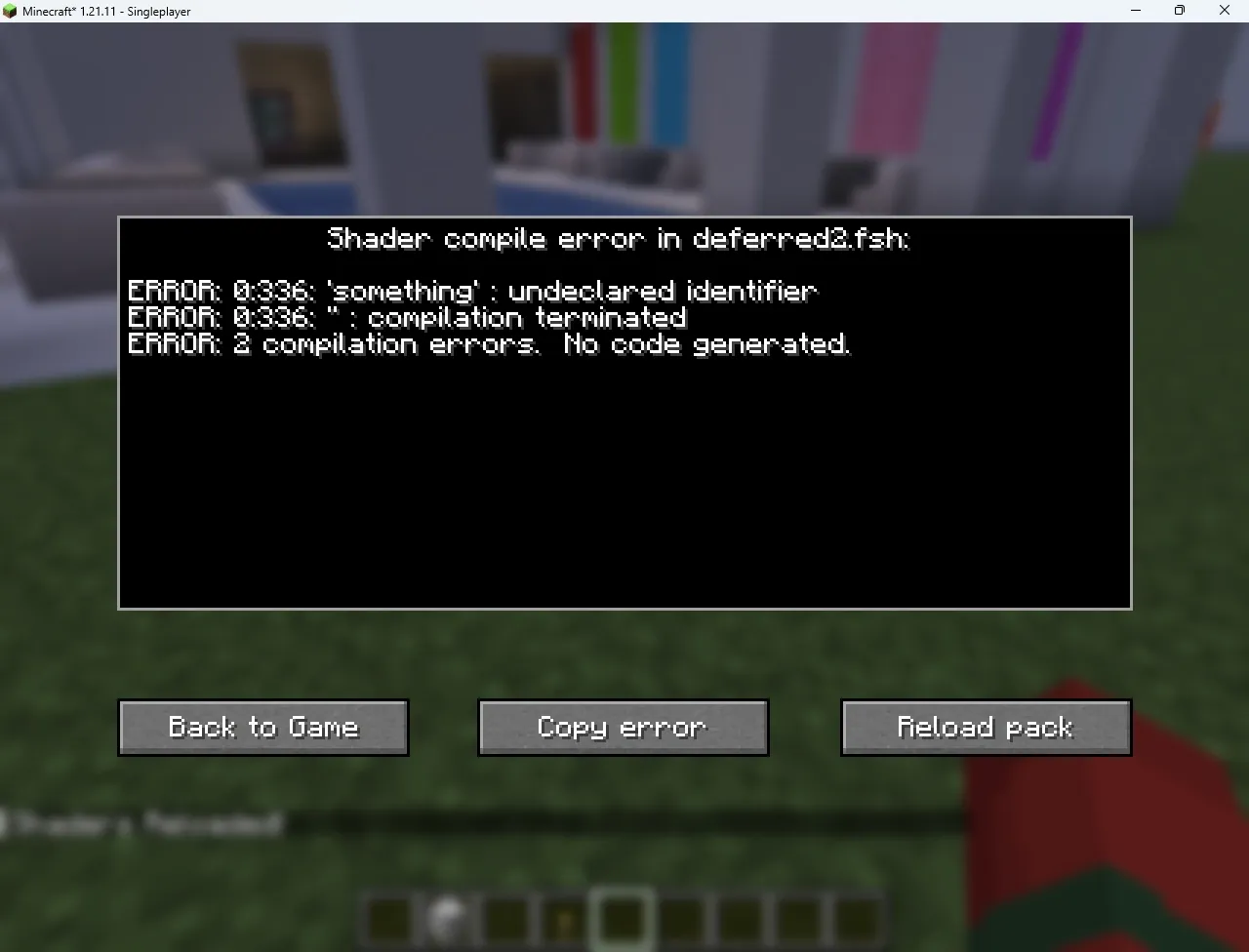
deferred2.fsh.
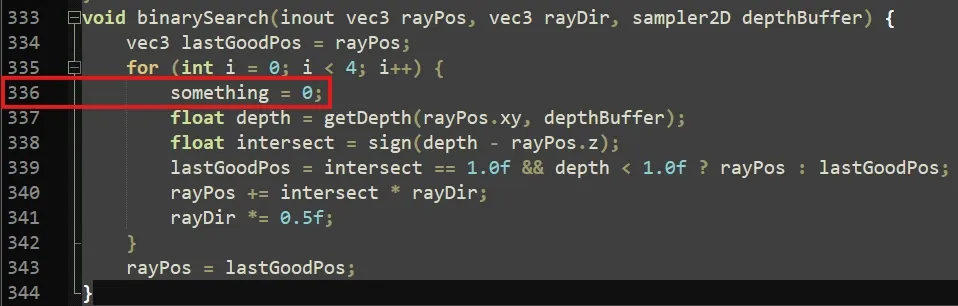
.minecraft/patched_shaders/005_deferred2.fsh and navigating to line 336, we can see the line causing the error. Using the surrounding context, and perhaps the find+replace option in your text editor/IDE, you should be able to find the offending line.
Attaching a Debugger
Section titled “Attaching a Debugger”Graphics debuggers are very useful when developing shaders, as they can be used to inspect the state of the GPU at a certain point in the pipeline, and gather detailed performance metrics.
RenderDoc
Section titled “RenderDoc”RenderDoc is an open source and cross platform graphics debugging tool. The method for hooking it into the game is operating system dependent.
Using the Mod
Section titled “Using the Mod”The GFX-Debuggers mod can be used to inject RenderDoc into the game on Windows. Simply select RenderDoc in the popup that appears when the game launches, and within RenderDoc, select File>Attach to Running Instance and select the game. It will likely appear as javaw.
Without the Mod (Windows)
Section titled “Without the Mod (Windows)”On Windows, if the mod doesn’t work for you for some reason (or you are not using Fabric), you can use process injection to hook into the game. Navigate to Tools>Settings and enable Enable process injection (restart required), then restart the application.
You can then select File>Inject into Process. Start the game, quickly search for java in the list, and press Refresh. Select the game, and press Inject.
Without the Mod (Linux)
Section titled “Without the Mod (Linux)”On Linux, the game must be made to initialise RenderDoc by itself. This can be done by setting the LD_PRELOAD environment variable to the path to librenderdoc.so. This can commonly be found at /usr/lib64/renderdoc/librenderdoc.so, but you can find the exact path with the below command.
Nsight
Section titled “Nsight”Nsight is an NVIDIA exclusive graphics debugger. It can provide much more detailed performance statistics.
The GFX-Debuggers mod can be used to inject Nsight into the game.
Alternatively, you can launch your launcher of choice from within Nsight by pointing it to the launcher executable, and it should automatically hook into Minecraft.